lesishu/seo-guide-skill: Claude Code SEO Guide
SEO work used to be slow. An SEO specialist would run a crawl with standalone software, compile a PDF report, and hand it to a developer. The developer would then manually turn those recommendations into code tickets.
That separation between diagnosing an issue and fixing it has largely disappeared. Agentic terminal tools like Anthropic’s Claude Code can now both identify problems and implement fixes in the same session.
But standard LLMs have gaps when it comes to SEO. They know basic HTML rules but struggle with semantic topical clusters, crawl budget optimization, keyword dilution, and E-E-A-T guidelines.
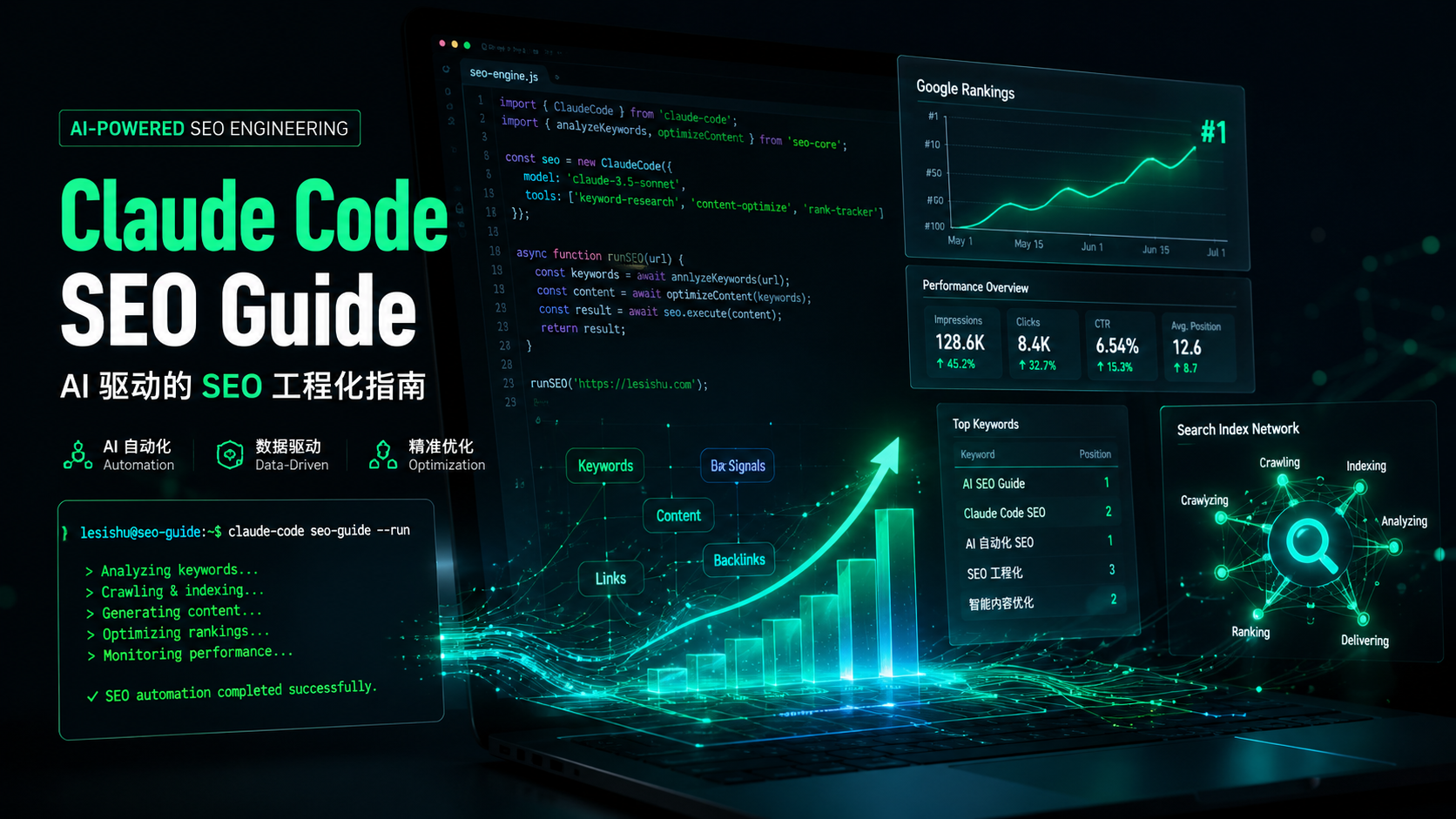
lesishu/seo-guide-skill was created to address this. It packages SEO expertise into a Claude Code skill, covering the full lifecycle from technical audits to content strategy.
This guide walks through the skill’s architecture, how to set it up, real-world usage patterns, and how it compares to alternatives like Cursor rules, MCP servers, and SaaS platforms.
Core architecture: five operational pillars
lesishu/seo-guide-skill is not a passive instruction file. It is an active workspace rule system. When Claude Code loads it, it gets a framework for reading, modifying, and verifying your project files.
The skill works through five pillars.
1. Automated site diagnosis and technical audit
The agent reads your frontend templates, config files, and asset maps. It looks for technical issues that block indexing:
- DOM depth and rendering health: structural semantics that keep initial paint fast.
- Document hierarchy compliance: one
<h1>per page, with<h2>through<h6>in order. - Resource delivery optimization: images without explicit dimensions or alt text.
2. On-page optimization automation
Rules in the skill ensure that new pages automatically satisfy on-page ranking factors. It checks TDK (title, description, keywords), verifies canonical links to prevent duplicate URLs, and reviews internal anchor distribution.
3. Technical SEO engineering
The skill turns Claude into a systems engineer for SEO. It generates schema markup rules, letting the agent output, test, and inject JSON-LD microdata for Article, Organization, WebSite, and TechArticle types.
4. Semantic content strategy and cluster mapping
Instead of keyword density, the skill uses topical authority. It scans markdown files or page templates to build topic clusters, flags content gaps, and rewrites copy to remove AI slop (repetitive, high-perplexity phrases that trigger content filters).
5. Internal link building
The skill cannot acquire live backlinks, but it can optimize your internal link structure. It builds internal link webs and adjusts anchor text across your directory tree to distribute PageRank more effectively.
Installation and setup
Claude Code looks for skills in the .claude/skills/ directory. You can install this skill per project or globally.
Per-project installation
From your project root:
mkdir -p .claude/skills/seo-guideGlobal installation
For system-wide access:
mkdir -p ~/.claude/skills/seo-guideDeploying the skill files
Clone or copy the lesishu/seo-guide-skill repository. The main file is SKILL.md, along with any supporting rule files. Place them in the seo-guide directory you just created.
Verifying SKILL.md frontmatter
The SKILL.md file needs this frontmatter:
---
name: seo-guide
description: Full-lifecycle SEO execution engine covering technical, on-page, and semantic content pipelines.
---
Running verification
Start Claude Code from your project directory:
claudeType / to see available skills. You should see /seo-guide listed.
How it compares to alternatives
There are four main approaches to AI-assisted SEO: Claude skills, IDE rules, MCP servers, and SaaS platforms. Each has tradeoffs.
Comparison matrix
| Feature | Claude skill (seo-guide-skill) | IDE rules (.cursorrules) | MCP SEO servers | SaaS (Ahrefs, Semrush) |
|---|---|---|---|---|
| Workspace access | Full filesystem, structural code visibility | Files open or indexed by IDE | Varies by connected tools | No local code context |
| Code execution | Can diagnose, write code, run builds | Needs human confirmation | Reads data via API, host LLM writes code | Generates reports only |
| Setup effort | Plain markdown, no dependencies | Single config file | Node/Python servers, JSON-RPC | Browser-based, no terminal needed |
| Live web data | Indirect (local tools or search) | Indirect (browser/editor search) | Excellent (API bridges) | Industry-leading (proprietary indexes) |
| Cost | Free (LLM tokens only) | Free or editor subscription | Variable (hosting/API keys) | Monthly subscription |
Detailed comparison
Each approach has different strengths and weaknesses.
Claude skill vs. IDE rules
IDE rules like .cursorrules keep code consistent in editors. But they are passive. They wait for you to highlight code.
seo-guide-skill is different. It runs in the terminal and uses tools like grep and find to scan your project, find gaps, and make changes in one step.
Claude skill vs. MCP servers
MCP servers connect AI agents to external data sources via JSON-RPC APIs. They are good at pulling live data, like Google Search Console metrics or backlink profiles.
But MCP servers need background processes and custom data schemas. seo-guide-skill stores everything in Markdown files. No external APIs, no infrastructure. Just local file access.
Claude skill vs. SaaS platforms
Ahrefs, Semrush, and SurferSEO are strong for off-page analytics. They track keyword difficulty, search volume, and competitor backlinks at scale.
What they cannot do is touch your code. They can tell you that your homepage is missing an Article schema, but you have to fix it yourself.
seo-guide-skill has full access to your local files. You can fix code issues right in your workspace, immediately.
Strengths and limitations
Before using this skill in production, consider the tradeoffs.
┌─────────────────────────────────────────────────────────────────┐
│                     NATIVE AGENT RUNTIME                        │
│                                                                 │
│  [ lesishu/seo-guide-skill ] ──► Deeply Context-Aware Workspace  │
│               │                                                 │
│               ├─► Pro: Zero API Fee / Token Preservation        │
│               ├─► Pro: Local File Modification Autonomy         │
│               │                                                 │
│               ├─► Con: No Real-Time SERP Data Tracking          │
│               └─► Con: Constrained by LLM Input Token Context   │
└─────────────────────────────────────────────────────────────────┘
Strengths
- Low context usage: The skill rules are concise, so they take up minimal prompt space. Most of Claude’s context window stays available for your code.
- No API fees: It runs locally. No subscriptions, no credits, no API keys.
- Direct code modification: Claude can refactor files, fix components, adjust heading structure, and run your build to verify changes.
- Codified expertise: The skill packages production-proven SEO principles from real-world experience, avoiding the guesswork of generic prompts.
Limitations
- No real-time search data: The skill cannot pull keyword volumes, competition scores, or live backlink rankings. It needs manual input or external tools for that.
- Context window limits: Large sites with thousands of pages can hit token limits when loading everything into context.
- Requires terminal literacy: This is built for developers comfortable with command-line tools. No graphical interface.
Usage examples
Once installed, you can run optimization tasks with simple instructions.
Fixing heading hierarchies
Component nesting in React, Next.js, or WordPress often breaks heading structure. You might get an <h1> jumping to <h4>, or multiple <h1> elements on one page.
Prompt: “Scan
/src/components/blog/for heading issues. Fix any broken hierarchy, remove duplicate H1 elements across all dynamic views, and ensure clean semantic HTML.”
Generating JSON-LD schema
Manual schema markup introduces errors that fail Google’s Rich Results tests.
Prompt: “Review
single.phpor/pages/posts/[slug].tsx. Generate a valid Schema.org Article JSON-LD block that pulls data from page variables. Insert it into the document head and verify no trailing comma errors.”
Removing AI slop from content
AI-generated text often uses phrases like “in today’s fast-paced digital world,” “delve deep,” or “testament to.” Search classifiers flag these.
Prompt: “Analyze
/content/tutorials/for AI clichés. Remove filler, run a semantic gap analysis against our topic cluster, and rewrite for technical accuracy.”
What this means for SEO
lesishu/seo-guide-skill points to a shift in how SEO works. It is no longer something marketing teams do weeks after launch. It is becoming part of the development pipeline itself.
When you combine structured skill guides with terminal-based AI agents, you get self-optimizing systems. Code diagnostics and deployment happen in the same motion.
- GitHub: https://github.com/lesishu/seo-guide-skill
- Author: Lesishu (乐思蜀)
Related articles
- AI SEO Tools Comparison - Compare AI-powered SEO tools and platforms
- Technical SEO Audit Guide - How to run a technical SEO audit with AI
- Structured Data for AI Search - Implement JSON-LD schema for better search visibility