Introduction: The Technical SEO Landscape in 2026
The frontend has changed. Astro, Next.js, Remix, SvelteKit. Server-side rendering, edge rendering, partial hydration. Google’s INP metric has fully replaced FID. Chrome User Experience data now drives real-world performance scoring.
None of this is optional anymore. Technical SEO in 2026 means understanding how crawlers parse JavaScript, how Core Web Vitals affect indexing, and how internal link architecture distributes page authority. Get any of this wrong, and your content does not get indexed. Get it right, and you gain a structural advantage that content alone cannot provide.
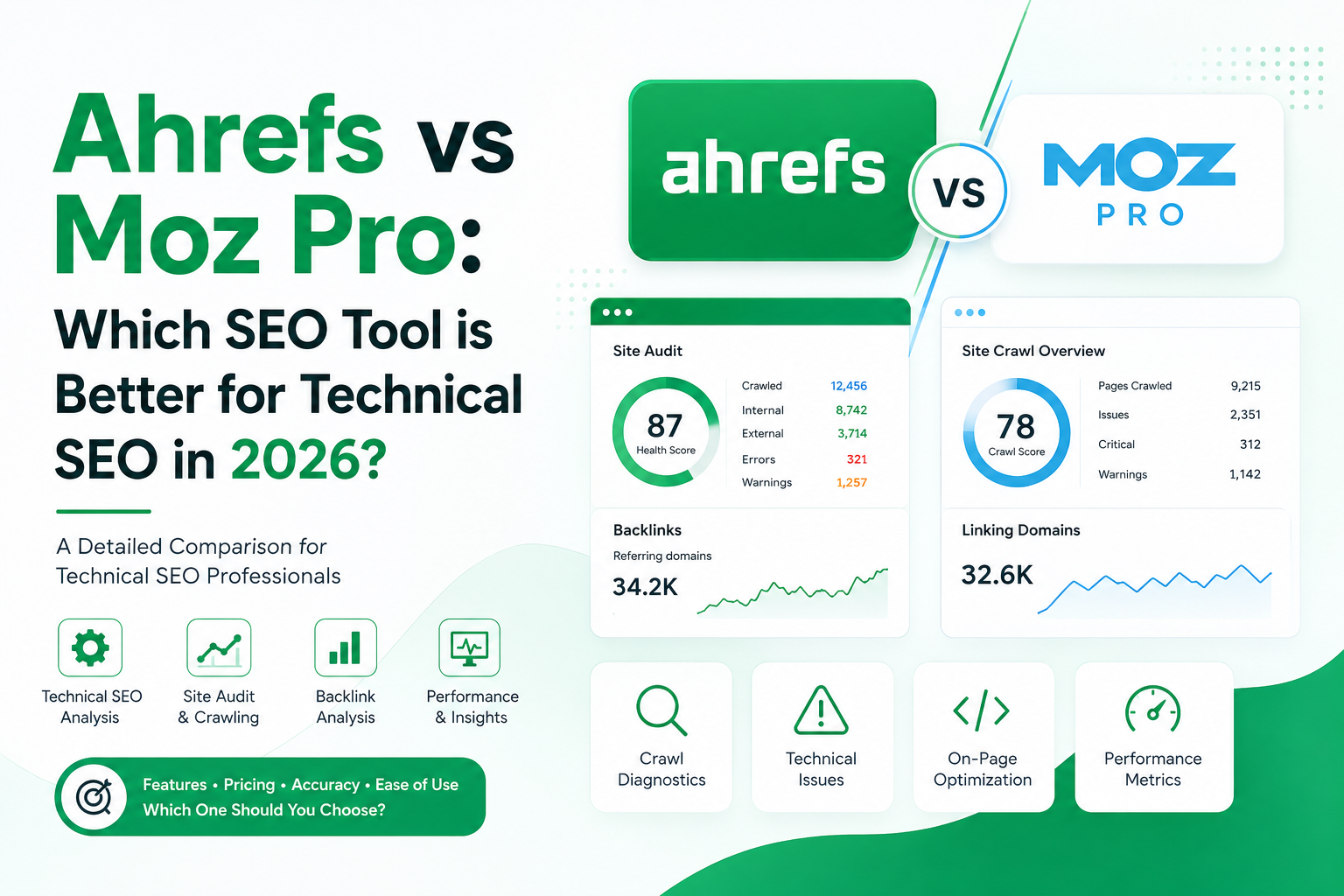
Two tools dominate the technical SEO audit space: Ahrefs and Moz Pro. Both claim to be the best choice for developers and technical site owners. Both have strong opinions about how to surface crawl errors, measure performance, and visualize link structures.
This article cuts through the marketing noise. We compare the two tools on the dimensions that matter most for technical SEO: crawler capabilities, JavaScript rendering, Core Web Vitals integration, internal link architecture, and real-world pricing. No fluff. No affiliate pitch. Just the engineering reality of each platform.
Round 1: Crawler Capabilities and JavaScript Rendering
The crawler is the foundation of any SEO tool. If the crawler cannot render your pages correctly, every other metric it reports is built on sand.
Ahrefs Site Audit
Ahrefs uses a Chromium-based crawler. This is the same rendering engine that powers Chrome. When Ahrefs crawls a page, it does not just fetch the raw HTML. It executes JavaScript, waits for the DOM to settle, and captures the rendered output.
This matters for modern frameworks. A Next.js page that requires client-side hydration, an Astro page with Islands Architecture, or a Vue SPA that renders content dynamically: Ahrefs sees the same output that a real visitor sees.
The crawler supports:
- Custom User-Agent strings. You can simulate how Googlebot, Bingbot, or any other crawler sees your pages. This is critical for debugging cloaking issues or testing how different bots handle your JavaScript.
- Geographic simulation. Crawl from different locations to test geo-specific content delivery and CDN behavior.
- JavaScript rendering depth control. You can configure how long the crawler waits for JavaScript to execute. This lets you test both fast-rendering and slow-rendering scenarios.
- Crawl budget optimization. Ahrefs shows you exactly which pages consume the most crawl budget, helping you identify JavaScript-heavy pages that slow down indexing.
The trade-off is cost. Every page Ahrefs renders with JavaScript burns credits. A site with 50,000 pages where 20,000 require JS rendering will eat through credits fast. Technical SEOs often limit crawl scope to stay within budget, which defeats the purpose of a comprehensive audit.
Moz Pro Site Crawl
Moz Pro uses its own crawler, which is faster on traditional HTML sites. For WordPress blogs, static marketing pages, and content-heavy sites without heavy JavaScript, Moz Pro crawls efficiently and surfaces issues quickly.
The crawler automatically categorizes problems into clear buckets:
- Redirects (301, 302, chains, loops)
- 404 errors and soft 404s
- Missing or duplicate meta tags
- Thin content pages
- Robots.txt issues
For a traditional CMS like WordPress or Shopify, this categorization is genuinely useful. A developer can open the report, sort by priority, and start fixing issues immediately.
The limitation appears with modern frameworks. When a page relies on client-side JavaScript to render its content, Moz Pro’s crawler may not execute it with the same fidelity as Ahrefs. The DOM tree it captures may be incomplete, missing content that only appears after JavaScript hydration. For a React SPA or a complex Astro page with dynamic Islands, Moz Pro’s crawl results can be less accurate.
Head-to-Head
| Capability | Ahrefs | Moz Pro |
|---|---|---|
| JavaScript rendering | Chromium-based, full execution | Limited JS execution |
| Custom User-Agent | Yes | No |
| Geographic simulation | Yes | No |
| Crawl speed (HTML) | Moderate | Fast |
| Crawl speed (JS-heavy) | Slow, credit-intensive | Faster but less accurate |
| Issue categorization | Good | Excellent |
| Budget impact | High | Low |
Verdict: Ahrefs wins on rendering fidelity. Moz Pro wins on speed and categorization for traditional sites. If your site uses modern JavaScript frameworks, Ahrefs is the only reliable option.
Round 2: Core Web Vitals and Performance Integration
INP replaced FID in March 2024. By 2026, every serious SEO tool must support it. But support varies significantly.
Ahrefs
Ahrefs Site Audit integrates directly with Lighthouse and CrUX data. The dashboard shows:
- Per-URL Core Web Vitals scores. Not just averages. Individual URLs with LCP, CLS, and INP scores.
- INP long task detection. Ahrefs can identify specific URLs where INP exceeds the 200ms threshold and flag the long tasks causing the issue.
- Batch filtering. You can filter your entire crawl by “INP > 200ms” and get a list of every URL that fails. This is invaluable for large sites where manual testing is impossible.
- CrUX field data integration. Real user metrics from Chrome, not just lab scores. This catches issues that only appear under real network conditions.
The INP integration is particularly strong. Ahrefs does not just tell you “INP is bad.” It tells you which specific URLs have INP problems, what the field data shows, and how the issue correlates with crawl depth and page weight.
Moz Pro
Moz Pro offers performance metrics through its Page Optimization section. You get:
- Page-level speed scores
- Basic recommendations for improvement
- Comparison against industry benchmarks
What Moz Pro lacks is the deep INP analysis. It does not break down long tasks by script or component. It does not integrate CrUX data at the URL level for large sites. For a site with 10,000+ pages, Moz Pro gives you averages. Ahrefs gives you the specific URLs that need fixing.
Head-to-Head
| Capability | Ahrefs | Moz Pro |
|---|---|---|
| LCP tracking | Per-URL, with CrUX | Page-level scores |
| INP analysis | Per-URL, long task detection | Basic speed metrics |
| CLS tracking | Per-URL | Page-level |
| CrUX integration | Yes, per-URL | Limited |
| Batch filtering by CWV | Yes | No |
| Large site support | Strong | Moderate |
Verdict: Ahrefs is significantly ahead on Core Web Vitals integration, especially for INP and large-scale audits. Moz Pro covers the basics but lacks the granularity that technical SEOs need.
Round 3: Link Architecture and Internal Link Visualization
Internal linking is one of the most underutilized technical SEO levers. A well-structured internal link architecture distributes page authority, helps crawlers discover deep content, and reduces orphan pages. Both tools approach this differently.
Ahrefs
Ahrefs treats internal linking as a first-class problem. The Site Audit includes:
- Visual Site Structure. A graphical representation of your site’s link architecture. You can see which pages are at crawl depth 1, 2, 3, 4, and beyond. Pages buried at depth 4+ receive significantly less crawl attention.
- Orphan page detection. Pages that have zero internal links pointing to them. These pages are effectively invisible to crawlers unless they appear in your sitemap. Ahrefs identifies them automatically.
- Internal link distribution analysis. Shows how PageRank flows through your internal link structure. You can see which pages are over-linked and which are under-linked.
- Anchor text analysis for internal links. Not just external anchor text, but how you link between your own pages. Generic anchor text like “click here” wastes an opportunity to signal relevance.
The Visual Site Structure is the killer feature. It renders your site’s link graph as a tree, showing exactly how deep each page sits. For a site with thousands of pages, this visualization immediately reveals structural problems that would take hours to find manually.
Moz Pro
Moz Pro approaches linking from the authority side. Its Link Research tools focus on:
- Domain Authority (DA) and Page Authority (PA). These are Moz’s proprietary metrics that predict ranking potential. DA measures the overall authority of your domain. PA measures the authority of individual pages.
- External link analysis. Moz’s Link Explorer is strong for analyzing who links to you, the quality of those links, and how your link profile compares to competitors.
- Internal link overview. Moz Pro shows internal link counts per page, but the visualization is more traditional. You get a list, not a graph.
What Moz Pro lacks is the topological view of internal linking. It can tell you that page X has 5 internal links, but it does not show you the structural relationship between pages the way Ahrefs’ Visual Site Structure does.
Head-to-Head
| Capability | Ahrefs | Moz Pro |
|---|---|---|
| Internal link visualization | Visual graph, crawl depth tree | List-based overview |
| Orphan page detection | Yes | Partial |
| Internal link distribution | PageRank flow analysis | Basic link counts |
| DA/PA metrics | No (uses DR/UR) | Yes (proprietary) |
| External link analysis | Strong | Strong |
| Anchor text analysis | Internal + external | Primarily external |
Verdict: For internal linking architecture, Ahrefs is clearly superior. Moz Pro is better for understanding external authority signals through DA/PA. If your primary concern is internal link structure, Ahrefs wins. If you need a holistic view that includes external authority, Moz Pro’s DA/PA system adds unique value.
Round 4: Pricing and Credit Burn
This is where the conversation gets real. Technical SEO requires frequent, comprehensive crawls. The tool that burns your budget faster is the tool you will use less.
Ahrefs Pricing Reality
Ahrefs uses a credit-based system. Every action costs credits:
- Crawling a page with JavaScript rendering: significant credits
- Crawling a page without JS: fewer credits
- Running a Site Audit: credits per page crawled
- Checking keyword rankings: credits per keyword
For a small site (under 1,000 pages), Ahrefs is affordable. For a site with 50,000+ pages where a large percentage require JavaScript rendering, the credit burn is substantial. Technical SEOs report that a single comprehensive crawl of a medium-sized site can consume a significant portion of their monthly credit allocation.
The practical consequence: you start being selective about what you crawl. You avoid full-site crawls. You crawl only problem areas. This means you miss issues in the pages you skip.
Moz Pro Pricing Reality
Moz Pro uses a more traditional subscription model with campaign limits. You get a fixed number of campaigns, and each campaign can crawl a certain number of pages per month.
The key difference: Moz Pro does not charge per page based on rendering complexity. A page that requires JavaScript rendering costs the same as a simple HTML page. For sites with heavy JavaScript, this makes Moz Pro significantly cheaper per crawl.
The limitation: campaign limits mean you cannot crawl unlimited pages. But for most technical SEO workflows where you need regular, comprehensive crawls of a known set of URLs, the predictability of Moz Pro’s pricing is an advantage.
Cost Comparison
| Scenario | Ahrefs | Moz Pro |
|---|---|---|
| Small site (1,000 pages, HTML) | Affordable | Affordable |
| Medium site (10,000 pages, mixed) | Moderate | Affordable |
| Large site (50,000+ pages, JS-heavy) | Expensive | More affordable |
| Daily full-site audits | Credit-intensive | Campaign-limited |
| JavaScript rendering per page | High credit cost | Same as HTML |
Verdict: Ahrefs costs more for large-scale technical audits, especially on JavaScript-heavy sites. Moz Pro offers more predictable, budget-friendly pricing for regular crawling. The choice depends on your site size and how often you need comprehensive audits.
Verdict: Which Should You Choose for Technical SEO?
Choose Ahrefs if:
- Your site runs on modern JavaScript frameworks (Next.js, Astro, Remix, Vue SPA)
- You need precise diagnosis of rendering issues, crawl depth problems, and internal link architecture
- You need per-URL Core Web Vitals analysis with CrUX data integration
- You need custom User-Agent testing and geographic crawl simulation
- Budget is not the primary constraint
Ahrefs is the surgical tool. It gives you the deepest technical insight, but it costs more and burns credits faster. Use it when precision matters more than cost.
Choose Moz Pro if:
- Your site runs on traditional CMS (WordPress, Shopify, Drupal)
- You need a budget-friendly tool for regular, comprehensive crawls
- You want clear, prioritized error lists that your development team can act on immediately
- You value DA/PA metrics for competitive analysis
- You need predictable pricing without credit anxiety
Moz Pro is the workhorse. It covers 80% of technical SEO needs at a lower cost, with better issue prioritization for non-technical teams. Use it when efficiency and budget matter more than deep JavaScript analysis.
The Hybrid Approach
The best technical SEO setup in 2026 might be using both:
- Moz Pro for daily monitoring, routine audits, and issue tracking
- Ahrefs for deep-dive investigations when you need JavaScript rendering analysis, internal link architecture visualization, or per-URL Core Web Vitals data
This gives you the best of both worlds: Moz Pro’s efficiency for ongoing work, and Ahrefs’ precision for complex investigations.
Summary
| Dimension | Winner | Why |
|---|---|---|
| JavaScript rendering | Ahrefs | Chromium-based, full execution |
| Core Web Vitals (INP) | Ahrefs | Per-URL analysis with CrUX |
| Internal link architecture | Ahrefs | Visual graph, orphan detection |
| Issue prioritization | Moz Pro | Clear, actionable categorization |
| Pricing for large sites | Moz Pro | Predictable, no credit burn |
| DA/PA authority metrics | Moz Pro | Proprietary, industry-standard |
| Traditional CMS support | Moz Pro | Faster, more accurate |
| Modern framework support | Ahrefs | Better JS rendering fidelity |
Neither tool is universally better. The right choice depends on your site’s technology stack, your budget, and the specific technical SEO problems you need to solve.