Website Architectures Explained: SSG, CMS, Frameworks, Hosting and Deployment Options Compared
The modern web offers more ways to build and deploy websites than ever before.
A decade ago, most websites were powered by traditional content management systems such as WordPress running on shared hosting. Today, developers can choose from static site generators, modern JavaScript frameworks, headless CMS platforms, cloud deployment services, VPS servers, serverless infrastructure, and edge computing platforms.
As a result, one of the most common questions website owners ask is no longer “How do I build a website?” but rather: what architecture should I choose?
The answer depends on your goals, technical skills, budget, content strategy, and scalability requirements.
This guide explains the major categories of website architectures and deployment models, compares their strengths and weaknesses, and helps you figure out which approach works best for different types of websites.
Understanding Website Architecture
Website architecture is more than just the framework.
Many people assume it refers only to the framework powering a website, but a complete website architecture consists of multiple layers.
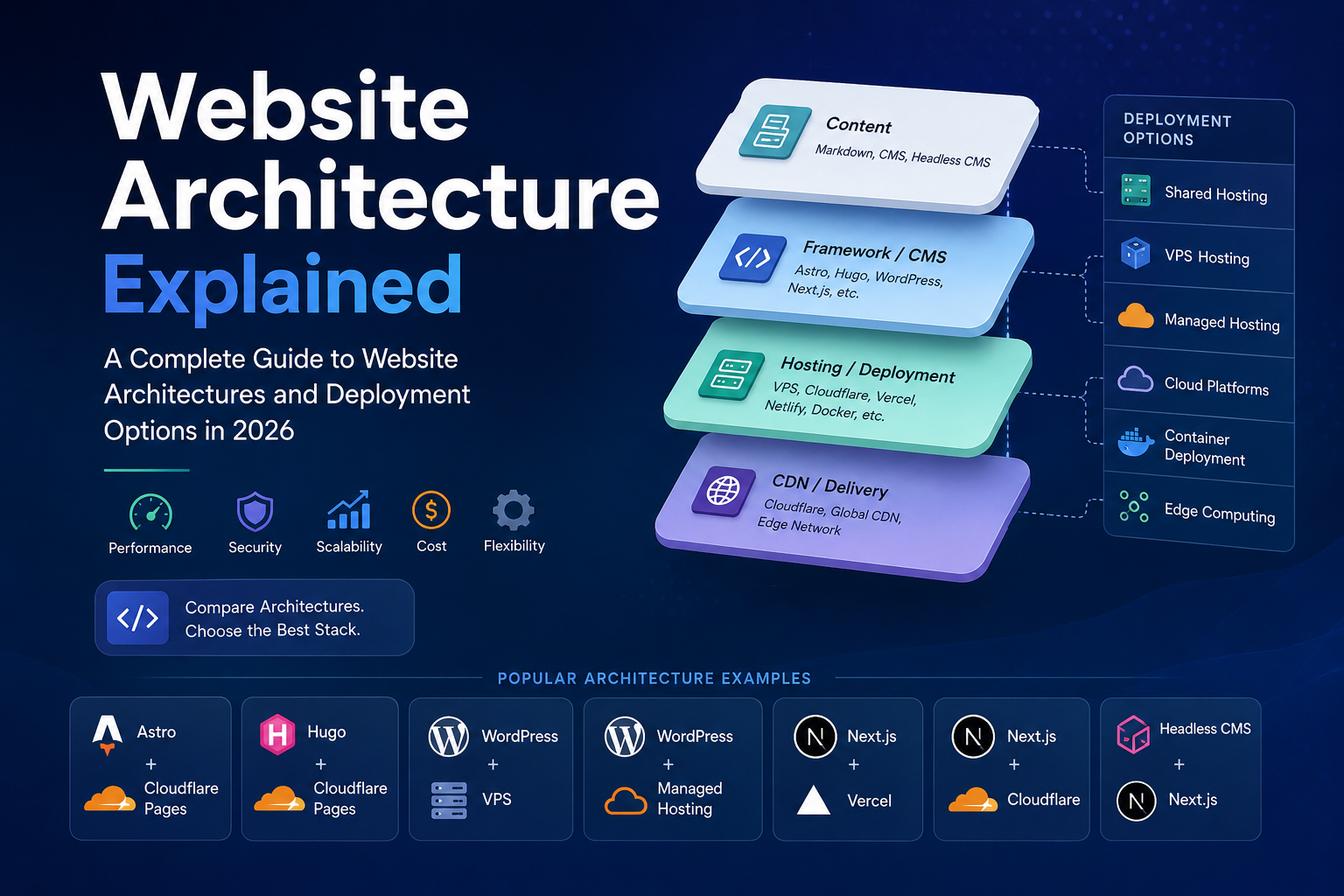
A simplified architecture can be represented as:
Content Layer
        ↓
Framework / CMS
        ↓
Rendering Method
        ↓
Hosting Platform
        ↓
CDN / Delivery Network
For example:
Markdown
↓
Astro
↓
Static HTML
↓
Cloudflare Pages
↓
Cloudflare CDN
Or:
WordPress Editor
↓
WordPress CMS
↓
PHP Rendering
↓
VPS Server
↓
Nginx
↓
Visitors
Understanding these layers makes it easier to evaluate modern website stacks.
Major Types of Website Architectures
Most websites today fall into four major architectural categories.
1. Static Site Generators (SSG)
Static Site Generators create HTML files during the build process.
Instead of generating pages when a visitor arrives, pages are pre-generated and delivered instantly.
Popular examples include:
- Astro
- Hugo
- Eleventy
- Jekyll
- Gatsby
How SSG Works
Markdown Content
        ↓
Build Process
        ↓
Static HTML Files
        ↓
CDN
        ↓
Visitors
Advantages
Exceptional Performance
Pages load extremely fast because no database queries occur during requests. To measure and optimize performance, see the Core Web Vitals guide for AI SEO.
Excellent SEO
Fast loading speeds improve Core Web Vitals and user experience.
Strong Security
Most static sites have no exposed database or server-side code.
Low Cost
Static files can often be hosted for free.
Disadvantages
Limited Dynamic Features
User accounts, memberships, and dashboards require additional services.
Content Publishing Workflow
Publishing often requires rebuilding and redeploying the website.
Astro
Astro grew popular as an SSG framework.
Strengths
- Excellent SEO
- Component-based architecture
- Supports React, Vue, Svelte, and others
- Modern developer experience
- Partial hydration
Weaknesses
- Requires some technical knowledge
- Smaller ecosystem than WordPress
Hugo
Hugo is known for speed.
Strengths
- Extremely fast build times
- Mature ecosystem
- Stable and reliable
- Written in Go
Weaknesses
- Less flexible than Astro
- Template syntax can be difficult
Best For
- Documentation websites
- Technical blogs
- Large content sites
Eleventy
Eleventy focuses on simplicity.
Strengths
- Lightweight
- Flexible
- Minimal overhead
Weaknesses
- Smaller ecosystem
- Fewer built-in features
2. Traditional CMS Architecture
Content Management Systems generate pages dynamically.
Popular examples include:
- WordPress
- Drupal
- Joomla
How CMS Works
Visitor Request
        ↓
Web Server
        ↓
CMS
        ↓
Database Query
        ↓
Generate HTML
        ↓
Visitor
Advantages
Easy Content Management
Non-technical users can publish content easily.
Massive Plugin Ecosystem
Thousands of integrations are available.
Flexible Functionality
Blogs, ecommerce stores, membership sites, and forums are all possible.
Disadvantages
Performance Overhead
Every page request may require database queries.
Security Risks
Plugins and themes can introduce vulnerabilities.
Maintenance
Updates, backups, and monitoring are required.
WordPress
WordPress powers a large portion of the web. For SEO optimization with WordPress, see the ChatGPT SEO guide.
Strengths
- Beginner-friendly
- Huge ecosystem
- Strong SEO support
- Flexible
Weaknesses
- Plugin dependency
- Security concerns
- Performance optimization required
Drupal
Drupal focuses on enterprise-level flexibility.
Strengths
- Advanced permissions
- Enterprise capabilities
Weaknesses
- Steeper learning curve
3. Modern Web Application Frameworks
These frameworks target highly interactive applications.
Examples:
- Next.js
- Nuxt
- Remix
- SvelteKit
Rendering Options
Static Site Generation (SSG)
Pre-generated pages.
Server-Side Rendering (SSR)
Pages generated on each request.
Incremental Static Regeneration (ISR)
Static pages updated automatically.
Advantages
Maximum Flexibility
Suitable for SaaS platforms and web applications.
Excellent User Experience
Interactive interfaces and dynamic content.
Modern Development Workflow
Strong tooling and ecosystem support.
Disadvantages
Increased Complexity
Requires more technical expertise.
Higher Infrastructure Costs
Dynamic rendering often costs more.
Next.js
The dominant React framework.
Strengths
- Large ecosystem
- Vercel integration
- Hybrid rendering
Weaknesses
- Complexity
- Potential vendor lock-in
4. Headless CMS Architecture
Headless CMS separates content management from frontend presentation.
Architecture
CMS Backend
        ↓ API
Frontend Framework
        ↓
Visitors
Advantages
Flexible Frontend Choices
Use Astro, Next.js, Nuxt, or any frontend framework.
Omnichannel Content Delivery
Content can reach websites, apps, and APIs at the same time.
Scalability
Excellent for large projects.
Disadvantages
More Complexity
Requires managing multiple systems.
Higher Costs
Enterprise platforms can become expensive.
Deployment Models Explained
Choosing an architecture is only half the decision. Deployment strategy matters just as much.
Shared Hosting
Examples:
- Hostinger
- Bluehost
- SiteGround
Advantages
- Cheap
- Easy setup
- Beginner-friendly
Disadvantages
- Shared resources
- Limited scalability
- Variable performance
VPS Hosting
Examples:
- Vultr
- DigitalOcean
- Hetzner
- Linode
Advantages
- Full control
- Better performance
- Flexible configuration
Disadvantages
- Requires server administration
- Security responsibility falls on the owner
Managed Hosting
Examples:
- Kinsta
- WP Engine
- Cloudways
Advantages
- Minimal maintenance
- Optimized performance
- Professional support
Disadvantages
- More expensive
Cloud Deployment Platforms
Examples:
- Cloudflare Pages
- Vercel
- Netlify
Advantages
Git-Based Deployment
Push code and deploy automatically. For optimizing your site for AI search engines, see the AI search visibility guide.
Global CDN
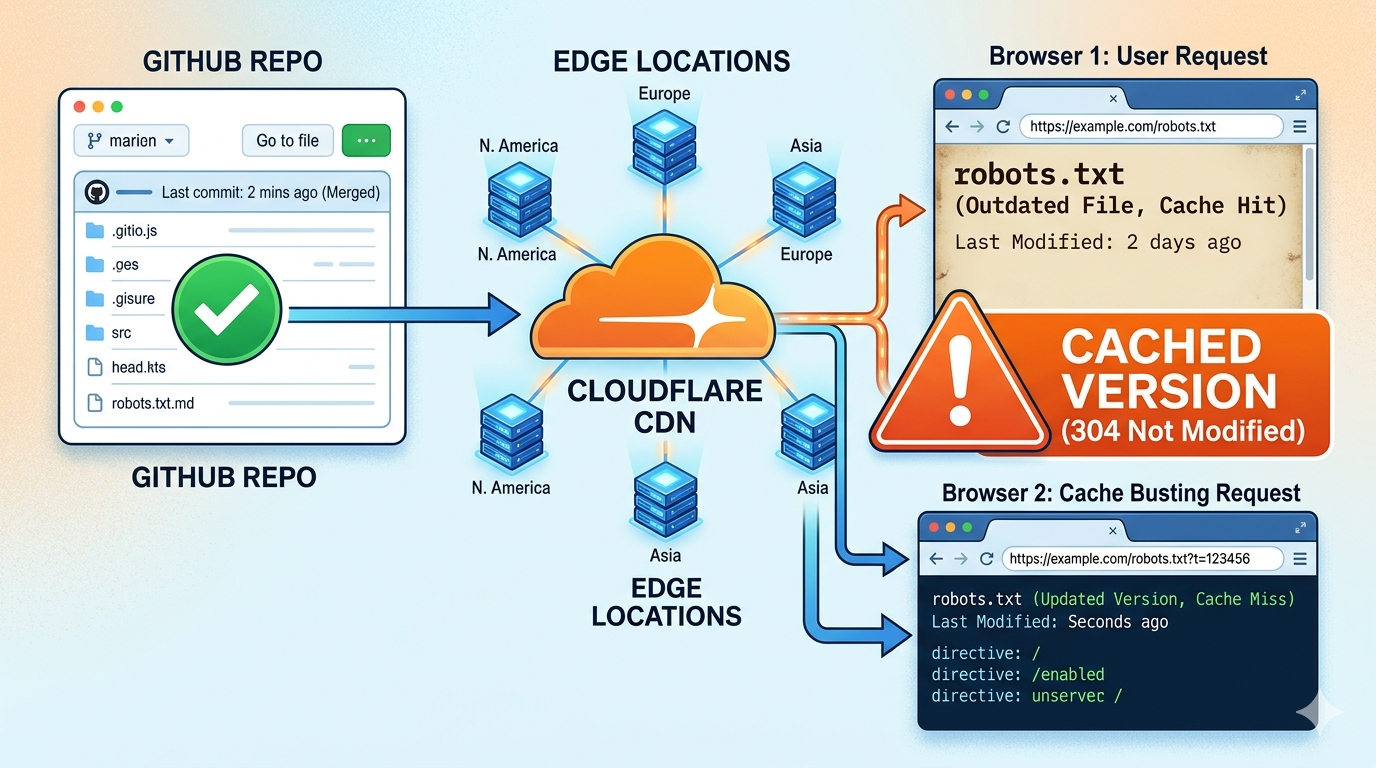
Excellent performance worldwide. For tips on Cloudflare edge caching, see the Cloudflare edge cache troubleshooting guide.
Free Tiers
Many projects operate without hosting costs.
Disadvantages
Platform Limitations
Advanced features may require paid plans.
Container-Based Deployment
Examples:
- Docker
- Kubernetes
Advantages
- Consistent environments
- Scalability
- Portability
Disadvantages
- Significant complexity
Edge Computing Platforms
Examples:
- Cloudflare Workers
- Vercel Edge Functions
- Fastly Compute
Advantages
- Ultra-low latency
- Global execution
Disadvantages
- Different development patterns
- Runtime limitations
Common Website Architecture Combinations
Astro + Cloudflare Pages
For a deeper look at this combination, see the Astro and Cloudflare Pages architecture guide.
Best for:
- Blogs
- Documentation
- SEO websites
Pros:
- Fast
- Secure
- Extremely low cost
Hugo + Cloudflare Pages
Best for:
- Large documentation sites
- Technical content
Pros:
- Fastest builds
- Excellent performance
WordPress + Shared Hosting
Best for:
- Beginners
Pros:
- Easy setup
Cons:
- Performance limitations
WordPress + VPS
Best for:
- Growing businesses
Pros:
- Full control
- Better performance
WordPress + Managed Hosting
Best for:
- Agencies
- Content teams
Pros:
- Convenience
Next.js + Vercel
Best for:
- SaaS products
- Startups
Pros:
- Developer experience
- Scalability
Next.js + Cloudflare
Best for:
- AI products
- Modern applications
Pros:
- Edge performance
- Lower operating costs
Headless CMS + Next.js
Best for:
- Enterprise websites
- Multi-channel publishing
Pros:
- Maximum flexibility
Comparison Table
| Architecture | Performance | SEO | Cost | Scalability | Complexity |
|---|---|---|---|---|---|
| Astro + Cloudflare | 10/10 | 10/10 | 10/10 | 9/10 | 6/10 |
| Hugo + Cloudflare | 10/10 | 10/10 | 10/10 | 9/10 | 6/10 |
| WordPress + Shared Hosting | 5/10 | 7/10 | 8/10 | 5/10 | 2/10 |
| WordPress + VPS | 8/10 | 8/10 | 8/10 | 8/10 | 7/10 |
| WordPress + Managed Hosting | 8/10 | 8/10 | 5/10 | 8/10 | 3/10 |
| Next.js + Vercel | 9/10 | 8/10 | 6/10 | 10/10 | 8/10 |
| Next.js + Cloudflare | 10/10 | 8/10 | 8/10 | 10/10 | 9/10 |
| Headless CMS + Next.js | 9/10 | 8/10 | 5/10 | 10/10 | 9/10 |
Which Architecture Should You Choose?
If your goal is content, blogging, SEO, and documentation:
Astro + Cloudflare Pages is one of the strongest options available today. For a full technical SEO checklist, see the technical SEO audit guide. For performance optimization, see the Core Web Vitals guide. If you need to choose between SEO tools for auditing your architecture, compare Ahrefs vs Moz Pro for technical SEO.
If you want visual editing and simplicity:
WordPress + Managed Hosting remains an excellent choice.
If you are building SaaS software:
Next.js + Vercel offers a mature ecosystem and powerful development experience.
If you require enterprise-grade flexibility:
Headless CMS + Next.js provides unmatched scalability.
Ultimately, there is no single best website architecture. The right choice depends on your content strategy, budget, technical expertise, and growth plans. The key is understanding the trade-offs between performance, flexibility, cost, maintenance, and scalability before you decide.