How I Optimized My Website for ChatGPT and Perplexity AI Search Visibility
Introduction
I used to think SEO was just about ranking on Google. Write good content, build backlinks, keep your load times down. The usual stuff.
Turns out that is only half the picture now. More and more people are getting answers from ChatGPT, Perplexity, and Claude without ever opening a search results page. Instead of browsing through ten blue links, they ask a question and get a synthesized answer pulled from multiple sources.
That changes things for anyone running a website. You want your content to show up in those AI answers, not just in Google’s index.
When I started optimizing my own site, I realized something: publishing good articles was not enough. The crawlers need to reach the content. The metadata needs to be complete. The technical foundation needs to be solid. If any of that is broken, both search engines and AI systems will struggle to use what you wrote.
I used two tools to evaluate where my site stood:
- Is Your Site Agent Ready
- SEMrush Site Audit
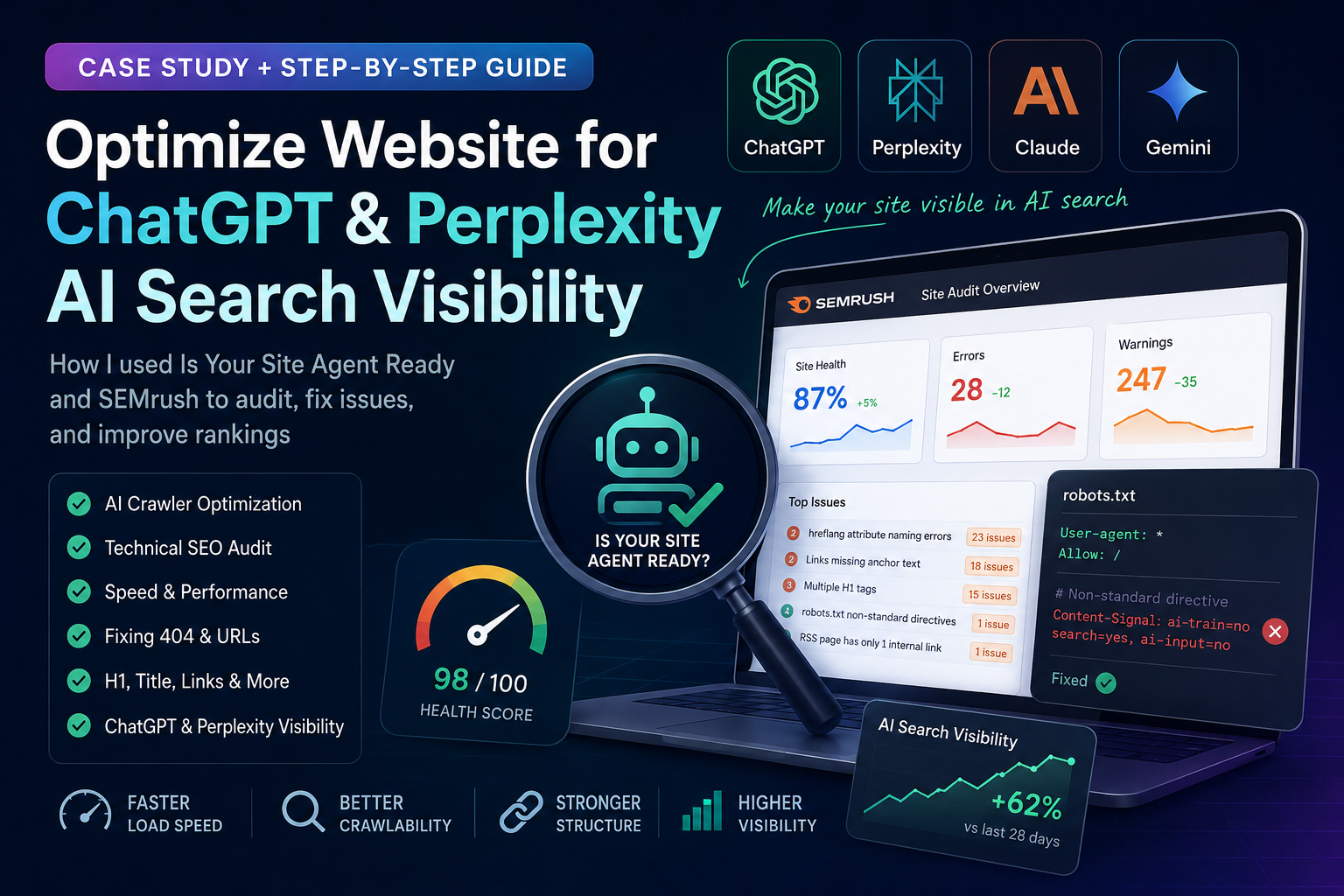
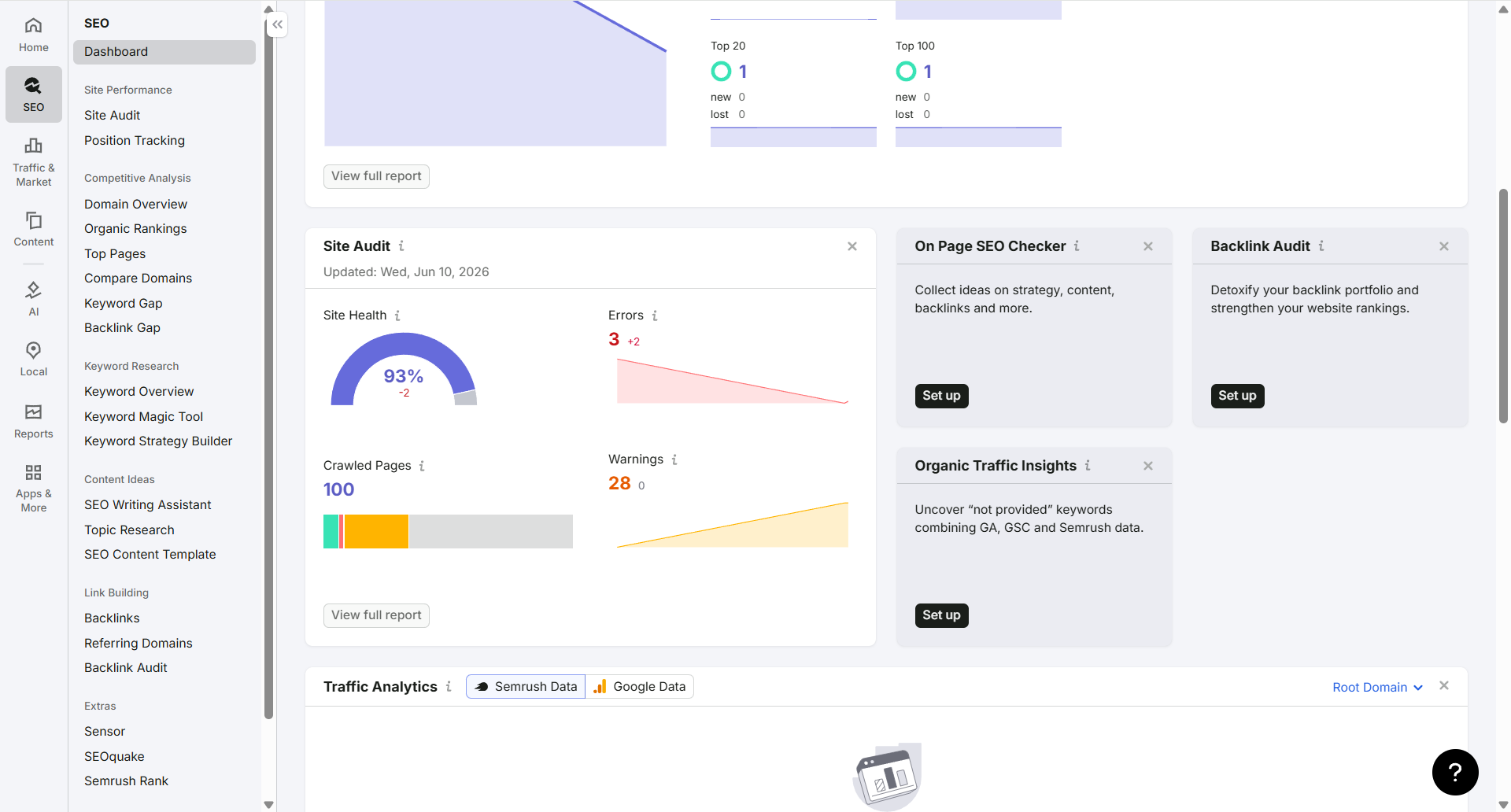 Together they found a bunch of issues I had no idea existed. Non-standard robots.txt directives. Wrong hreflang values. Multiple H1 tags. Links with no anchor text. The list goes on.
This article covers the whole process. What I found, how I fixed it, and what I learned along the way. If you run a blog, a SaaS site, a documentation hub, or anything tech related, you will probably find some of the same problems on your own site.
Why AI Search Visibility Matters
For years SEO meant one thing: ranking on Google. Maybe Bing if you were being thorough. You optimized for the search engine, and the search engine sent you traffic.
That model is not going away, but it is sharing the stage now.
When ChatGPT launched its search feature and Perplexity started pulling from live sources, the rules shifted. These systems read your site directly and cite you as a source. That means your content can show up in answers without the user ever searching for your brand name.
If an AI system references your content, you get:
- People who have never heard of you see your name in a cited source
- Some of them click through to read more
- Your site builds a reputation as a place with reliable information
- Over time that compounds into more citations
The trap a lot of site owners fall into is thinking AI search optimization is completely different from regular SEO. It is not. The foundation is the same.
AI systems still need the same basic things Google needs:
- Pages that can be crawled
- Content that is accessible
- Structure that makes sense
- Metadata that is correct
- Pages that load fast
If your technical SEO is a mess, your AI visibility will be a mess too. There is no shortcut around it.
I ran the audit before writing more content because I wanted to fix the foundation first. Here is what I found.
How AI Search Actually Works
Before diving into the fixes, it helps to understand what these AI search tools actually do under the hood. They all work differently, and the differences affect how you should optimize.
ChatGPT Search
ChatGPT Search (also called GPT Search or Browse) lets ChatGPT pull live information from the web. When you ask a question that needs current data, ChatGPT runs a web search in the background, reads the pages it finds, and summarizes the results into an answer.
The key detail: ChatGPT uses two different crawlers for two different purposes.
GPTBot is the crawler that collects data for training models. If you block GPTBot in robots.txt, your site will not be used for training. But that does not affect whether ChatGPT Search can find and cite your content. Those are separate systems.
OAI-SearchBot is the crawler specifically for the search feature. If you want your content to appear in ChatGPT Search answers, you need to allow OAI-SearchBot. Blocking it means ChatGPT will not crawl your site for real-time answers.
ChatGPT Search favors content that:
- Loads fast (slow pages get skipped under time constraints)
- Has clear headings it can extract answers from
- Uses straightforward language rather than dense jargon
One thing I noticed: ChatGPT Search seems to prefer pages that answer a specific question directly rather than pages that cover a topic broadly. A page titled “How to configure Astro with Cloudflare Pages” is more likely to get cited than “My complete guide to everything I know about Astro.”
Perplexity
Perplexity works differently from ChatGPT Search. It is a search engine first, an AI assistant second. When you ask a question, Perplexity runs a live search across multiple sources, reads the top results, and writes a synthesized answer with inline citations.
The citations matter. Perplexity is very transparent about where it gets its information. Each claim in the answer links back to the source page. This means your content can get direct referral traffic from Perplexity if it gets cited.
Perplexity uses its own crawler (often listed as PerplexityBot). Blocking it removes your site from Perplexity’s index entirely.
What Perplexity looks for:
- Recent, up-to-date content (freshness matters more than with ChatGPT)
- Content that directly answers questions
- Pages with clear factual information
- Authoritative sources (citations from other sites help)
Perplexity also cites PDFs and documentation, not just blog posts. If you have technical documentation on your site, it may get cited even if your blog does not.
Claude (by Anthropic)
Claude handles web search differently from both ChatGPT and Perplexity. Claude can search the web using the MCP protocol or through Anthropic’s own search features, but it is more conservative about when it fetches live data.
ClaudeBot is the crawler used by Anthropic. Like GPTBot, it collects data for model training. Claude can also search the web for real-time information, but the way it handles citations and source attribution depends on the feature being used.
Claude tends to prioritize:
- Well-structured content it can parse cleanly
- Content with clear authorship and publication dates
- Sources it can verify against other content it has read
The common thread across all three platforms: they all need to read your content. If your site blocks crawlers, has broken metadata, or loads too slowly, none of them will cite you.
My Website Audit Process
I split the audit into two stages.
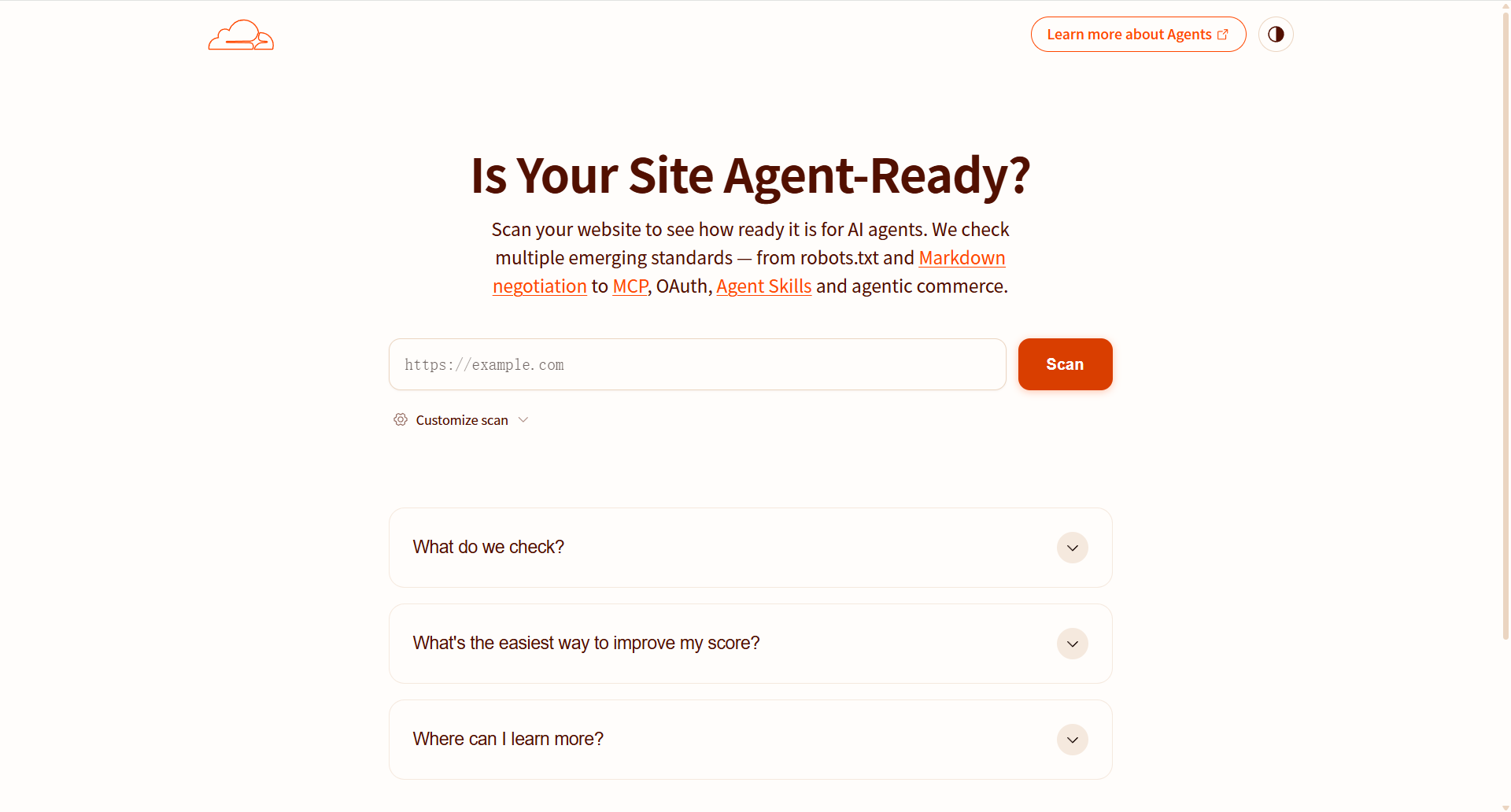
First I checked whether AI crawlers could actually reach my content. That is where Is Your Site Agent Ready came in. It focuses specifically on AI agent accessibility.
Then I ran a full technical SEO audit with SEMrush. This covered crawlability, internal linking, metadata, performance, and structured data.
The two tools gave me a complete picture. The first stage showed me what AI systems could see. The second stage showed me what was broken under the hood.
Tool One: Is Your Site Agent Ready
Is Your Site Agent Ready is a tool that checks whether your site is accessible to AI agents and modern crawlers. Unlike a standard SEO tool, it focuses specifically on the things AI systems care about.
It checks for these things:
1. robots.txt Accessibility
The tool verifies that your robots.txt file exists, is publicly accessible, and returns the correct status code. A missing or blocked robots.txt makes crawlers guess how to access your site, which usually means they crawl less.
2. Sitemap Availability
It checks whether your sitemap is referenced in robots.txt and whether the sitemap is accessible. Without a sitemap, crawlers have to discover your pages through links alone, which is slower and less reliable.
3. Crawl Permissions
It checks whether your robots.txt allows AI agent User-Agents to crawl your content. If you have disallow rules targeting GPTBot or PerplexityBot, the tool flags those.
4. Agent Accessibility
This checks whether your pages return valid HTTP status codes and do not redirect AI agents through login walls or CAPTCHAs. Some sites inadvertently block agents through aggressive bot detection.
5. Technical Crawl Signals
The tool reviews response times, content type headers, and other low level signals that affect whether a crawler can parse your pages correctly.
6. Metadata Visibility
It verifies that key metadata (title tags, meta descriptions, Open Graph tags) is visible to crawlers and not blocked by JavaScript rendering.
The results were mixed. My site passed some checks cleanly and had warnings on others, mostly around robots.txt.
Tool Two: SEMrush Site Audit
After the AI readiness check, I ran a SEMrush Site Audit for a deeper technical review.
SEMrush checks a lot of things. Here is what each module looks at and why it matters.
Crawlability
This module checks whether search engines can reach and index your pages. It looks for:
- Pages blocked by robots.txt
- Orphan pages (no internal links pointing to them)
- Redirect chains and loops
- Pages returning 4xx or 5xx status codes
My site was decent here but had a few pages with redirect chains I had not noticed.
Internal Linking
This checks how pages link to each other. Strong internal linking helps search engines understand which pages are important and how content relates.
The audit flags:
- Pages with zero internal links
- Links with missing or generic anchor text
- Broken internal links
- Excessive links on a single page
This module found the most actionable issues on my site, especially around anchor text.
Metadata
Metadata checks cover title tags, meta descriptions, and Open Graph tags. The audit flags:
- Duplicate titles
- Missing titles
- Titles that are too long or too short
- Missing meta descriptions
- Duplicate descriptions
My site passed most of these, but there were a few gaps.
Performance
Performance checks measure page load metrics. SEMrush pulls data from Google’s CrUX (Chrome User Experience Report) and Lighthouse. It flags:
- Slow Time to First Byte
- Large page sizes
- Unoptimized images
- Render-blocking resources
My site is built with Astro and hosted on Cloudflare Pages, so performance was generally good. But there were a few images I had forgotten to optimize.
Structured Data
Structured data checks whether your pages use schema markup correctly. The audit validates:
- JSON-LD formatting
- Required fields for each schema type
- Errors and warnings in the markup
I had not added structured data to most of my pages, so this module had a lot of red flags.
Technical SEO
This module checks everything else: canonical URLs, hreflang tags, redirects, HTTPS, and URL structure. It found the hreflang issue I describe in detail later.
The Issues I Found
Issue One: Non-Standard robots.txt Directives
The first warning came from the robots.txt file. At some point I had added a custom directive that looked like this:
Content-Signal: ai-train=no, search=yes, ai-input=noThe idea made sense to me at the time. I wanted to allow AI search crawlers while blocking training crawlers. But that directive is not part of any standard. Most crawlers just ignore it. Some SEO tools flag it as an error.
The fix was simple. I removed the custom directive and went back to standard rules:
User-agent: *
Allow: /
Disallow: /search/
Disallow: /tags/
Disallow: /categories/
Disallow: /404/

Sitemap: https://bephil.com/sitemap-index.xml
Clean, simple, standard. Every crawler understands this.
Lesson: If you want to manage AI crawlers specifically, use the official User-agent names (GPTBot, ClaudeBot, PerplexityBot). Do not invent custom syntax.
Issue Two: Incorrect hreflang Values
This one surprised me. The audit reported that some of my hreflang attributes used invalid formatting.
I had hreflang values that did not match the ISO language codes crawlers expect. The values were technically close but not quite right, which meant crawlers might ignore them or misinterpret them.
The fix was to go through every page with hreflang attributes and make sure the values matched the ISO 639-1 standard. For example, using en for English, zh for Chinese, en-US for US English.
This only matters if your site targets multiple languages or regions. If you have a single-language site, you can skip this. But if you do use hreflang, it is worth getting right.
Lesson: Validate your hreflang values against the standard. Small formatting differences can make crawlers ignore them entirely.
Issue Three: Multiple H1 Tags
Several pages on my site had more than one H1 element. This happens when your template or component structure accidentally inserts extra H1s.
On one page, the hero section used an H1 and the main content area also had an H1. The result was structural ambiguity. Which one is the page title? Crawlers have to guess.
The fix was straightforward. I went through the affected templates and changed the secondary H1s to H2s. Now every page has exactly one H1, followed by H2 and H3 sections.
A clean heading structure looks like this:
<h1>Main Page Title</h1>
<h2>Section One</h2>
<h3>Subsection</h3>
<h2>Section Two</h2>
One H1, multiple H2s, supporting H3s where needed. Easy to scan for humans and easy to parse for crawlers.
Lesson: Check your templates, not just your content. The extra H1 may come from a shared component you forgot about.
Issue Four: Links Missing Anchor Text
This issue showed up a lot. Some links on my site had no anchor text at all.
Social media icons linked to profiles with nothing but an SVG inside the anchor tag. A link to the GitHub repo just had a GitHub icon with no text label.
The fix was adding descriptive text or aria-label attributes:
<a href="/github" aria-label="View my GitHub profile">
  <svg><!-- icon --></svg>
</a>
This helps both accessibility and SEO. Screen readers get the label. Crawlers get context. Everyone wins.
Lesson: Every link on your site should tell crawlers and users where it goes. Icons alone do not count.
Issue Five: RSS Feed Internal Links
SEMrush flagged that my RSS feed had only one internal link. This sounds bad but it is not really a problem. RSS feeds are XML documents built for distribution, not navigation. They do not need rich internal linking.
I decided to deprioritize this and focus on improving internal links in the actual blog posts instead. That is where the real value lives.
Detailed Fix Walkthrough
Here is exactly what I did, step by step, in case you want to do the same thing on your site.
Fixing robots.txt
[Screenshot: robots.txt file before and after showing the custom directive removed]
- Connected to my Cloudflare Pages site
- Opened the robots.txt file in the public directory
- Removed the non-standard
Content-Signalline - Verified the file was publicly accessible at
https://bephil.com/robots.txt - Re-ran the Is Your Site Agent Ready check to confirm the warning cleared
Fixing hreflang
[Screenshot: SEMrush hreflang error report showing the invalid values]
- Exported the SEMrush hreflang report to see every affected page
- Cross-referenced each value against the ISO 639-1 language code list
- Updated the formatting in the Astro template that generated the hreflang tags
- Re-ran the audit to verify the warnings were gone
Fixing Multiple H1s
[Screenshot: Browser dev tools showing multiple H1 elements on a page]
- Used the SEMrush “Multiple H1” report to list all affected URLs
- Found the common template component causing the duplicate
- Changed the secondary H1 to an H2 in the component
- Manually verified a sample of pages to confirm the fix
Fixing Anchor Text
[Screenshot: SEMrush anchor text report showing links with missing text]
- Ran the SEMrush report for links with missing anchor text
- Copied the list of affected URLs into a tracking document
- For each link, added either descriptive text or an aria-label attribute
- Checked social media icons specifically, since those were the worst offenders
Re-running the Audit
After all fixes were applied, I ran both tools again. The warnings dropped significantly. The site scored better on both AI readiness and technical SEO.
Astro + Cloudflare Pages SEO Configuration
Since my site runs on Astro with Cloudflare Pages, here is how I configured things for SEO and AI visibility.
Astro Sitemap Integration
Astro has an official sitemap integration that generates a sitemap.xml at build time. It is straightforward to set up:
import { defineConfig } from 'astro/config';
import sitemap from '@astrojs/sitemap';

export default defineConfig({
  site: 'https://bephil.com',
  integrations: [
    sitemap({
      filter: (page) => {
        const excludePatterns = [
          '/tags/',
          '/categories/',
          '/search/',
          '/404',
        ];
        return !excludePatterns.some((pattern) => page.includes(pattern));
      },
    }),
  ],
  output: 'static',
  build: {
    inlineStylesheets: 'auto',
  },
});
The filter function keeps tag pages, category pages, and the 404 page out of the sitemap. You only want real content pages in there.
One thing to check: make sure your sitemap is listed in robots.txt. Add this line at the bottom:
Sitemap: https://yoursite.com/sitemap-index.xmlStatic Output Matters
Astro defaults to static output, which means all pages are pre-rendered HTML files. No server-side rendering, no JavaScript hydration needed for content. This is ideal for crawlers because they get the full HTML immediately.
If you use Astro with SSR, make sure your pages render properly when crawlers request them. Some SSR setups serve empty shells if JavaScript is required for rendering.
Cloudflare Pages Settings
On Cloudflare Pages, a few settings help with crawlability:
Turn off Automatic Signed Exchanges (SXG) unless you know you need them. SXG can confuse some crawlers and audit tools.
Set a proper caching policy. Cloudflare caches static assets at the edge by default, which improves load times for both users and crawlers.
Minimize redirects. Each redirect adds latency. Use direct URLs where possible.
If you use Cloudflare’s proxy (orange cloud), crawlers will hit Cloudflare’s edge, so make sure your firewall rules do not block known crawler IP ranges.
robots.txt: Complete Examples
Here is the current robots.txt on my site:
User-agent: *
Allow: /
Disallow: /search/
Disallow: /tags/
Disallow: /categories/
Disallow: /404/

Sitemap: https://bephil.com/sitemap-index.xml
This is the simplest version that works. Allow everything except admin or utility pages, then point to the sitemap.
For AI Crawlers Specifically
If you want to control AI crawlers individually, add specific User-agent sections:
# Allow all by default
User-agent: *
Allow: /

# Block GPTBot from training, allow search
User-agent: GPTBot
Disallow: /

User-agent: OAI-SearchBot
Allow: /

# Block ClaudeBot
User-agent: ClaudeBot
Disallow: /

# Allow Perplexity
User-agent: PerplexityBot
Allow: /

# Block CCBot (Common Crawl)
User-agent: CCBot
Disallow: /

Sitemap: https://bephil.com/sitemap-index.xml
Aggressive Blocking (Not Recommended)
User-agent: *
Disallow: /

User-agent: GPTBot
Disallow: /

User-agent: ClaudeBot
Disallow: /

User-agent: PerplexityBot
Disallow: /
This blocks everything. It will also block Google if Google updates its User-agent string. Be careful with this.
The approach I recommend: start with a permissive User-agent: * and only block specific crawlers if you have a specific reason. Most sites benefit more from being visible than from being locked down.
Sitemap Best Practices
A sitemap is one of the simplest things you can set up, and it makes a big difference for crawlability.
What to Include
- All important content pages
- Blog posts
- Documentation pages
- Landing pages
What to Exclude
- Tag pages (usually thin content)
- Category pages (also thin, unless they are curated)
- Search results pages
- 404 pages
- Admin or login pages
How to Generate a Sitemap with Astro
The @astrojs/sitemap integration handles this automatically. Install it, configure it, and it generates a sitemap on every build.
One thing to verify: the sitemap URLs match your canonical URLs exactly. If your site is at https://example.com, every URL in the sitemap should start with https://example.com, not http:// or a different domain.
Sitemap Index Files
If you have a large site with multiple sitemaps, use a sitemap index file:
<?xml version="1.0" encoding="UTF-8"?>
<sitemapindex xmlns="http://www.sitemaps.org/schemas/sitemap/0.9">
  <sitemap>
    <loc>https://bephil.com/sitemap-posts.xml</loc>
  </sitemap>
  <sitemap>
    <loc>https://bephil.com/sitemap-pages.xml</loc>
  </sitemap>
</sitemapindex>
For a small blog with fewer than 50,000 URLs, a single sitemap file is sufficient.
AI Crawlers: What Each One Does
Understanding the different crawlers helps you decide which ones to allow and which ones to block. Here is the breakdown.
GPTBot
GPTBot is OpenAI’s web crawler. It collects data for training GPT models. If you block GPTBot, your content will not be used to train future models. This has no effect on ChatGPT Search, which uses a separate crawler (OAI-SearchBot).
Many site owners block GPTBot and allow OAI-SearchBot. This is a reasonable middle ground.
User-agent string: GPTBot
OAI-SearchBot
OAI-SearchBot is OpenAI’s crawler for the ChatGPT Search feature. This is the one you need to allow if you want your content to appear in ChatGPT answers.
User-agent string: OAI-SearchBot
ClaudeBot
ClaudeBot is Anthropic’s web crawler. It collects data for training Claude models. Blocking it prevents Anthropic from using your content for training.
User-agent string: ClaudeBot
PerplexityBot
PerplexityBot is Perplexity’s crawler. It indexes content for Perplexity’s search results. Blocking it removes your site from Perplexity entirely.
User-agent string: PerplexityBot
CCBot
CCBot is Common Crawl’s crawler. Common Crawl maintains a free, open repository of web crawl data that many AI companies use for training. Some newer AI training pipelines also pull directly from CCBot. Blocking it limits your content’s availability in a large number of training datasets.
User-agent string: CCBot
Decision Framework
| Crawler | Allow if you want… | Block if you are concerned about… |
|---|---|---|
| GPTBot | GPT model improvement | Training data usage |
| OAI-SearchBot | ChatGPT Search citations | Nothing specific to Search |
| ClaudeBot | Claude model improvement | Training data usage |
| PerplexityBot | Perplexity citations | Perplexity indexing |
| CCBot | Broad open web access | Maximum training data restriction |
For my site, I allow everything except CCBot. Discoverability matters more to me than preventing training use. But your situation may be different. If you run a site with sensitive or proprietary content, you might want stricter controls.
EEAT and AI Citations
EEAT stands for Experience, Expertise, Authoritativeness, and Trustworthiness. Google uses it to evaluate content quality. AI search systems do something similar, even if they do not use the same acronym.
The connection between EEAT and AI citations is straightforward: AI systems want to cite sources they can trust. If your content looks unreliable, it will not get cited.
What AI Systems Consider Trustworthy
Clear authorship. Pages with named authors and bios get cited more often than anonymous content. I added author tags to every post.
Publication dates. AI systems prefer recent content, especially for topics that change over time. A post from 2022 about AI tools is less useful than one from 2026.
Cited sources. Content that links to its own sources signals thoroughness. It also helps AI systems verify claims across multiple pages.
Accurate factual claims. This sounds obvious, but AI systems are getting better at cross-referencing claims. If your content says something that conflicts with multiple other sources, the AI may skip your page even if you are the one who is right.
A clean user experience. Pages with intrusive popups, slow load times, or broken layouts send a negative signal. AI systems may deprioritize pages that offer a bad experience.
What Does Not Matter as Much
- Domain age (older domains get some trust but new domains can rank too)
- Number of backlinks (less important for AI citations than for Google)
- Social media followers (does not affect how crawlers evaluate you)
How I Applied EEAT Thinking
I started adding author bios to every post, even short ones. I made sure every article had a clear publication date. I linked to my sources where applicable. None of this is complicated, but it takes time to do consistently.
[Screenshot: Example author bio block at the end of a blog post]
30-Item AI SEO Checklist
Use this checklist to evaluate your own site. I go through this before publishing any new content.
Crawlability
- robots.txt file exists and is publicly accessible
- robots.txt returns a 200 status code (not 404 or 500)
- Sitemap is listed in robots.txt
- Sitemap URL is valid and publicly accessible
- No non-standard directives in robots.txt
- AI crawlers are not blocked unintentionally (check GPTBot, OAI-SearchBot, ClaudeBot, PerplexityBot, CCBot)
- All important pages are indexable (no noindex tags blocking them)
- No orphan pages (every page has at least one internal link pointing to it)
Structure
- One H1 per page (no more, no less)
- Logical heading hierarchy (H1 > H2 > H3, not skipping levels)
- Descriptive anchor text for every link (no bare URLs or icon-only links)
- Internal links between related content (build topic clusters)
- Clean URL structure (short, descriptive, hyphenated)
- No broken internal links
- No redirect chains (multiple redirects for a single URL)
Metadata
- Unique title tag for every page
- Title tag length within 50-60 characters
- Unique meta description for every page
- Meta description length within 150-160 characters
- Open Graph tags set for social sharing
- Canonical URL set on every page
- hreflang tags correct if targeting multiple languages
Performance
- Pages load in under 3 seconds on mobile
- Images are compressed and properly sized
- JavaScript is minimized or deferred
- CSS is inlined or minified (Astro does this by default)
- Caching is configured at the CDN level (Cloudflare, CloudFront, etc.)
AI Readiness
- Content answers questions directly (not buried in paragraphs)
- Content uses clear, factual language
- Content includes publication date and author information
Frequently Asked Questions
Does AI SEO replace traditional SEO?
No. Traditional SEO is the foundation. AI SEO adds considerations on top. If your site is not crawlable and your content is low quality, neither Google nor ChatGPT will show it.
Should I block AI crawlers?
It depends on your goals. If you want your content cited in AI answers, do not block the search-specific crawlers (OAI-SearchBot, PerplexityBot). Blocking training crawlers (GPTBot, ClaudeBot) is a separate decision.
Is SEMrush necessary for small websites?
Not strictly necessary, but it saves time. The free version covers the basics. The paid version gives you more detailed reports. Google Search Console is free and covers some of the same checks.
How often should I run audits?
Once a month is enough for most small sites. I run a full audit monthly and spot-check the robots.txt and sitemap whenever I deploy changes.
What is the difference between GPTBot and OAI-SearchBot?
GPTBot collects data for training models. OAI-SearchBot powers ChatGPT Search. You can block one and allow the other in your robots.txt.
Does having multiple H1 tags really hurt rankings?
It depends. Modern search engines handle it better than they used to. But it adds ambiguity and makes your structure less clean. Fixing it is easy and removes one more variable from the equation.
How do I check if my AI crawler setup is correct?
Run Is Your Site Agent Ready or check your Cloudflare/nginx logs for crawler requests. If you see GPTBot, ClaudeBot, or PerplexityBot getting 404 or 403 responses when they should be getting 200, your config is wrong.
What is EEAT and does it matter for AI search?
EEAT stands for Experience, Expertise, Authoritativeness, Trustworthiness. Google uses it for rankings. AI search systems use similar signals to decide which sources to cite. Clear authorship, publication dates, and factual accuracy all help.
Should I optimize for Perplexity differently than for ChatGPT?
The differences are small. Perplexity favors fresh, fact-dense content with clear citations. ChatGPT Search favors pages with direct answers and clear headings. Both benefit from the same technical foundation.
Does sitemap format matter for AI crawlers?
Standard XML sitemaps work for all crawlers. Just make sure the URLs in your sitemap are valid and publicly accessible. AI crawlers treat sitemaps the same way Google does.
Can Cloudflare Pages settings affect AI visibility?
Yes. Firewall rules that block unknown User-agents can accidentally block AI crawlers. Cloudflare’s bot management features can also interfere. Check your WAF logs if you suspect crawlers are being blocked.
How long does it take to see results from technical SEO fixes?
Usually 2-4 weeks for crawlers to re-index affected pages. Some changes (like fixing a broken robots.txt) take effect immediately because crawlers re-read that file on every visit.
What are the most common robots.txt mistakes?
Blocking everything with Disallow: / when you mean to block a single directory. Forgetting to add the sitemap URL. Using non-standard directives. Blocking crawlers you actually want to allow.
Does page speed affect AI citations?
Indirectly, yes. AI crawlers have timeouts and resource limits. If your page takes too long to load, the crawler may move on before reading your content. Keeping load times under 3 seconds is a good target.
Should I use structured data for AI search?
Yes. JSON-LD structured data helps crawlers understand your content. Article schema, FAQ schema, and Person schema are all useful. Some AI systems use structured data to extract information more reliably.
What is the difference between training crawlers and search crawlers?
Training crawlers (GPTBot, ClaudeBot) read your content to improve AI models. Search crawlers (OAI-SearchBot, PerplexityBot) read your content to answer user questions in real time. Blocking training crawlers does not affect search visibility, and vice versa.
Can I optimize content specifically for AI answer extraction?
Yes. Use direct question-and-answer formats. Put the main takeaway at the top of the section rather than building up to it. Use clear headings that summarize what follows. AI systems tend to extract the first clear answer they find.
Do backlinks still matter for AI search visibility?
Less than they do for Google. AI search systems evaluate the source page directly rather than relying on PageRank-style authority signals. That said, backlinks from reputable sites can still help establish EEAT signals that AI systems pick up.
Is it worth optimizing for AI search if my site is small?
Definitely. Smaller sites benefit more because AI citations can drive traffic that traditional search rankings do not. A single citation in a ChatGPT or Perplexity answer can bring more visitors than months of slow Google ranking growth.
Should I use a separate sitemap for AI crawlers?
No. One standard sitemap works for all crawlers. AI crawlers read the same XML format that Google uses. There is no special AI sitemap format.
Results After Implementing Fixes
After I addressed all the issues, the audit scores improved across the board.
The robots.txt warnings disappeared. The hreflang errors cleared. The heading structure passed validation. The anchor text report showed far fewer gaps. The overall audit score went up about 15 points on SEMrush’s scale.
None of these fixes alone would have made or broken the site. But together they removed the friction that was slowing down crawling and confusing metadata interpretation. The site is objectively healthier now than it was before the audit.
I also noticed more crawler activity in the logs after fixing the robots.txt. That makes sense. When you remove non-standard directives, crawlers understand what they are allowed to do and do more of it.
What I Learned About AI Visibility
One thing became clear through this process: AI visibility is not a toggle.
There is no single setting that makes your site appear in ChatGPT or Perplexity. No magic robots.txt directive. No secret metadata tag. Visibility comes from a hundred small things done right.
The content needs to exist. It needs to be accessible. It needs to be structured so crawlers can parse it. It needs to answer questions people actually ask. And it needs to load fast enough that crawlers do not time out before finishing.
Every one of those things is fixable. You just have to check them one by one.
The tools I used helped me find what I was missing. But the tools are not the point. The point is that most SEO problems are fixable once you know they exist. The hard part is not the fixing. It is knowing what to look for.
If you have not run an audit on your own site recently, do it. You will probably find something worth fixing. And if you are building for AI search visibility, start with the fundamentals. Get the technical stuff right. Then the rest follows.
Conclusion
I started this project wanting to improve my site’s visibility in AI search results. What I found was a bunch of technical issues I had created myself without realizing it.
Non-standard robots.txt directives. Hreflang values that did not match the standard. Multiple H1s from template components I had forgotten about. Links with no anchor text. Small things, each one. But they added up to a site that was harder for crawlers to understand than it needed to be.
The tools helped me find those issues. Is Your Site Agent Ready pointed out the AI accessibility problems. SEMrush Site Audit caught the technical SEO gaps. Together they gave me a clear list of things to fix.
The fixes themselves were not complicated. I simplified the robots.txt, corrected the hreflang values, cleaned up the heading structure, and added anchor text to the links that needed it. Each fix took a few minutes. The results were measurable within weeks.
If you are working on your own site and wondering why it is not getting the visibility you expected, start with the technical foundation. Run an audit. Fix what it finds. Then build from there.